


Foldspace v1.0.2 - Aescripts
CC 2019 + | aex | Video Tutorial | 81.1 MB
CC 2019 + | aex | Video Tutorial | 81.1 MB
Foldspace
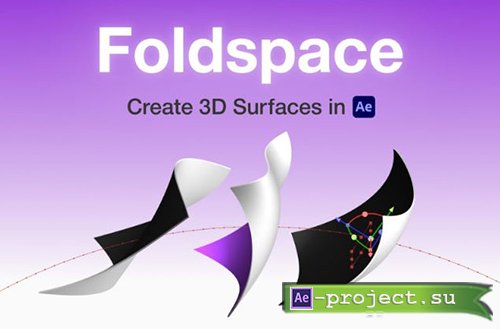
GPU-accelerated plugin that lets you create, edit, and animate 3D curved surfaces directly in Adobe After Effects.
What is it?
Foldspace is a plugin for Adobe After Effects that gives you tools to bend, warp, and animate surfaces in 3D space.
What Foldspace Does
Curved surface creation: Lets you generate 3D surfaces with bends or curves that aren’t possible with native After Effects tools.
Animation of surfaces: You can animate control points on the surfaces and attach them to other layers, enabling dynamic motion rigs.
Editable geometry: Foldspace provides UI controls for manipulating the shape and curvature of the surfaces.
Curved Surfaces. Directly in After Effects.
Each surface is defined by 16 control points that can be positioned freely in 3D space. You can create any number of surfaces, each editable independently. All surfaces in a single effect instance share the same 3D space and can overlap and intersect.
Any Texture.
You can assign unique materials to every plane of a surface, including front, back, and, if the surface has thickness, the side planes (left, top, right, bottom). Each material includes physical properties like diffuse, specular, shininess, and opacity. You can use any layer in the composition as a source image for a texture.
Seamless Integration.
Any Foldspace object - surfaces or control points - can be attached to an After Effects layer. Attached objects inherit all transformations from that layer, including animation, letting you drive Foldspace surfaces using After Effects’ native animation tools. Foldspace supports both native After Effects cameras and lights, as well as custom camera and light controlled directly from the effect.
Built for Animation.
Because any surface control point can be attached to a layer, you can animate each point independently and design custom animation rigs. In this example, each face of the cube is a Foldspace surface.
Unlimited Complexity.
Create as many surfaces as you need - there’s no limit. Each surface can be edited independently, yet all exist in the same 3D space. Build scenes from separate surfaces or connect them to form complex shapes, as shown is this example.
Custom UI.
Foldspace includes a dedicated on-screen UI that appears when the effect is selected. This UI lets you interactively control surfaces and control points directly in the viewport. Position, rotation, and scale gizmos appear when an object is selected, allowing intuitive mouse-driven transformations in either local or global space.
Roll Modifier.
Roll parameters let you quickly create rolling animations that wrap a surface into tube- or spiral-like shapes using simple controls such as Angle, Tilt, and Radius.
High Performance.
Foldspace uses GPU-accelerated rendering via Vulkan on Windows and Metal on macOS, delivering fast performance even in complex scenes. The plugin requires a Vulkan- or Metal-capable GPU, with low minimum requirements (Vulkan 1.1, Metal 2). If you’re unsure whether your GPU is compatible, you can download the trial version of the plugin to test it.
Multi-Frame Rendering & 32bpc
Foldspace supports up to 32-bit-per-channel color depth and fully integrates with After Effects’ multi-frame rendering for maximum image quality and performance.
System Requirements
Windows
OS Version: Windows 10 and higher.
GPU: NVIDIA GeForce GTX 745 / AMD Radeon RX 470 and higher.
macOS
OS Version: macOS 11 Big Sur and higher.
GPU: Apple M1 / Intel HD Graphics 5000 / AMD Radeon Pro 450 and higher.
Info:
https://aescripts.com/foldspace/
Скачать | Download:
