


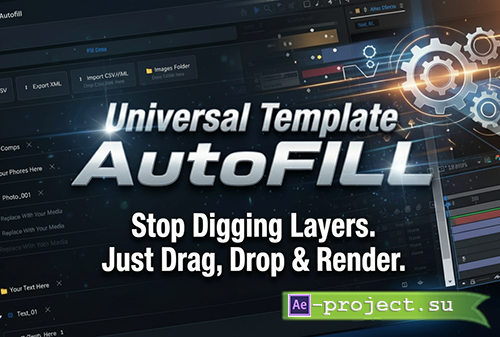
Aescripts - Universal Template AutoFill v1.0.1
Adobe After Effects 2020+ (17.0 or newer) | 3.6 MB
Adobe After Effects 2020+ (17.0 or newer) | 3.6 MB
Universal Template AutoFill scans any After Effects template and detects all user-editable elements—text, images/logos, video placeholders, and effect controls. Fill everything in one panel, import CSV/XML, or auto-populate media from an Images Folder, then apply changes across the whole project.
Stop digging through dozens of precomps in large templates. Universal Template AutoFill is designed for After Effects projects with many placeholders — text, images, logos, videos, and controls — especially commercial Envato / VideoHive templates. It automatically analyzes the project and brings all user-editable elements into one place, letting you fill an entire template in minutes instead of hours.
What it does
Automatically analyzes template projects and detects editable placeholders
Bulk replace text, images/logos, and video/media
Use Images Folder to work with simple filenames (auto-resolves paths)
Auto-fill Media: populate placeholders from a folder with sorting and rules
Import / export data via CSV and XML (Excel SpreadsheetML)
Detects and edits Effect Controls (Sliders, Angles, Points, Dropdowns)
Designed for large, multi-placeholder templates
Universal Template AutoFILL delivers the biggest productivity boost when working with commercial After Effects templates that contain many scenes, repeated structures, and multiple placeholders.
If a template includes dozens of text layers, photo or video slots, repeated scenes, or control parameters spread across many compositions, this extension eliminates the need to search and replace content manually.
Perfect for
Envato / VideoHive templates
Slideshows, promos, product showcases
Social media packs with many scenes
Large projects with many placeholders spread across multiple compositions
Templates where manual replacement would normally require opening dozens of precomps
The extension can also be used in smaller projects, but it is primarily designed to save time in complex templates with many editable elements, where manual replacement becomes slow and error-prone.
Workflow (typical use)
Open your template project in After Effects.
Open the panel: Window → Extensions → Universal Template AutoFILL
Click Refresh Analysis (or let it auto-scan).
Fill values in Fill Data (text and media).
Optionally import data from CSV/XML or set an Images Folder.
Click Review to inspect pending changes.
Click Apply All to apply changes across the project
Images Folder + Auto-fill Media
Set an Images Folder once, then use simple filenames in fields or CSV (for example photo_01.jpg or even photo_01). Universal Template AutoFILL resolves paths automatically and can auto-fill media placeholders from the folder with flexible rules:
Fill only empty placeholders or overwrite existing ones
Sort by name/date or randomize
Optional mixing of photo/video in visual placeholders
CSV / XML Import & Export
Export a template, fill the New column in a spreadsheet, then import it back to instantly populate all fields in the panel. XML export uses Excel SpreadsheetML format (great for Excel users). Ideal for text-driven templates or batch editing.
Controls (Effect Controls)
The extension detects supported Effect Controls in the project and exposes them in the Controls tab, including Sliders, Angles, Points and Dropdown menus—so you can adjust template controls directly from one place.
Requirements
Items:
Adobe After Effects 2020+ (17.0 or newer)
Windows / macOS
Installation
Description in the archive
info:
https://aescripts.com/universal-template-autofill/
Скачать | Download:
